
Cube Cipher - Cube Solver
DOSA AppsEducational
4.51.92K Reviews
- Version
- 4.8.9
- Installs
- 10.00M
- Age Rating
- Everyone
Screenshots
Our Review of Cube Cipher - Cube Solver
 Analysis by Appyee
Have you ever found yourself staring at a scrambled Rubik’s Cube, contemplating whether it’s possible to solve it without pulling off the stickers? Well, fret no more! Enter Cube Cipher - Cube Solver, the app that promises to be your ultimate cube-solving companion.
What makes a cube solver useful to me is not just getting an answer, but being able to follow it while holding the puzzle and making turns. That distinction matters if you are learning, helping someone else, or trying to get unstuck during a short break. I would treat this game as a practical aid for exploring cube puzzles rather than as a substitute for learning how they work.
A solver for more than one kind of puzzle
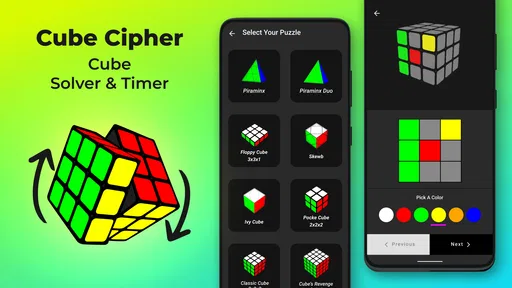
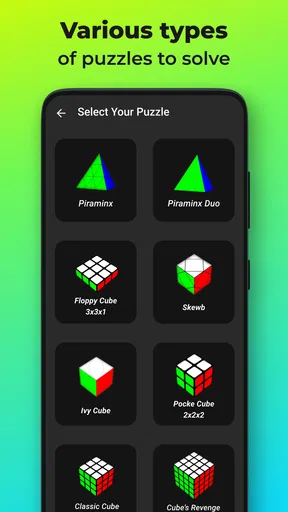
Cube Cipher is an educational game from DOSA Apps. Its scope reaches beyond the familiar three-by-three cube: it covers two-by-two, four-by-four, Pyraminx, Skewb, Ivy Cube, and Dino Cube puzzles as well. That range is useful if your collection grows or if a friend hands you a shape you have not tried before. It also means it is worth checking that you have selected the right puzzle before entering its state; instructions intended for one format will not help with another.
The app is free to install and is rated for Everyone. It has a 4.4 average from around 111,000 ratings, and has passed 10 million installs. The current version is 4.8.9, and it requires Android 8.0 or later. In-app purchases range from about fifty cents to nearly one hundred dollars per item, so I would look over any purchase prompt carefully if you plan to keep the experience free. Those details make it easy to judge whether it fits your device and household before getting started.
Making the screen work for your eyes and hands
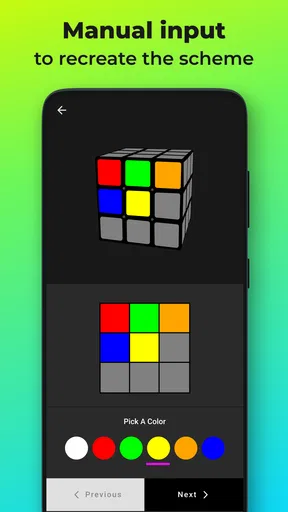
Cube solving asks for attention in two places at once: the puzzle in your hands and the directions on the phone. The original experience presents a color picker for entering a cube layout, so a patient approach is more useful than rushing through the setup. I recommend entering one face at a time, then comparing the screen with the physical cube before asking for a solution. That small pause can prevent a mistaken color selection from sending you down the wrong sequence.
For someone with limited dexterity, the main challenge is likely to be the repeated switching between tapping the screen and turning the cube. A stable surface can help: place the phone beside the puzzle, make a move, then check the next instruction instead of trying to hold both objects. If small screen text or bright colors are hard to distinguish, this kind of careful setup may take longer. I would not assume the app removes those barriers simply because the steps are digital.
When a cube solver fits into the day
A realistic use is a quick puzzle session at home: a child or adult gets stuck, opens the solver, records the scrambled state, and follows the directions until the cube is restored. The same workflow can help a parent support a beginner without having to memorize algorithms first. It is less convenient when you are standing on a crowded bus or have only one hand free, because entering a puzzle and carrying out turns both need attention.
For learning, I would use the solution as a bridge rather than a shortcut. After following a move sequence, pause and notice what changed on the cube; then try to repeat the idea on a later scramble. If the goal is only to solve one puzzle quickly, a solver can be reassuring. If the goal is to become independent, relying on instructions every time can slow that progress, so it helps to revisit the learning material and practice the notation.
Compared with searching for a video, a solver can be more direct when you already know the exact puzzle state and want guided moves. A video can be easier for seeing hand turns and broad techniques, but it may not match your particular scramble. A printed guide avoids screen switching, yet it cannot respond to the exact arrangement you enter. I see Cube Cipher as most useful between those choices: a tailored route out of a scramble, paired with learning material for users who want to understand the route.
The First Impressions
When I first downloaded the Cube Cipher - Cube Solver, I was skeptical. I mean, could an app really help solve the cube without me having to resort to YouTube tutorials or, worse, giving up entirely? But as soon as I opened the app, I was greeted with a clean and intuitive interface that gave me hope.
The home screen offers two main options: “Solve My Cube” and “Learn to Solve.” Whether you’re in a rush to impress your friends or genuinely interested in mastering the art of cube-solving, this app has got you covered.
Solving the Cube
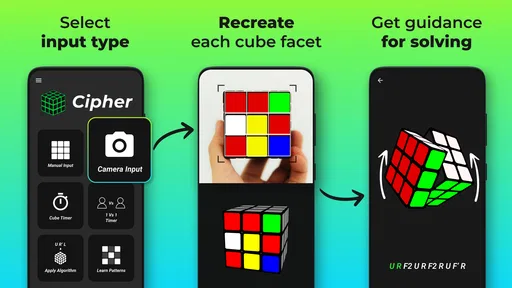
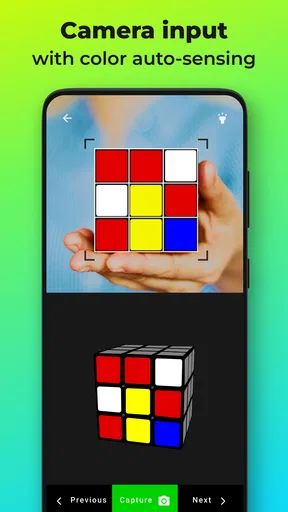
The “Solve My Cube” feature is what initially drew me in. With just a few taps, you can input the current state of your cube into the app. The interface makes it easy to replicate your cube's layout, using a simple color picker. Once you’ve entered the details, hit the magic button, and ta-da! The app generates a step-by-step guide to solve the cube.
This guide is where Cube Cipher truly shines. The steps are detailed yet easy to follow, and I found myself quickly navigating through the moves, turning what was once a chaotic mess into a beautifully solved cube. It’s almost like having a personal cube coach in your pocket.
Learning the Magic
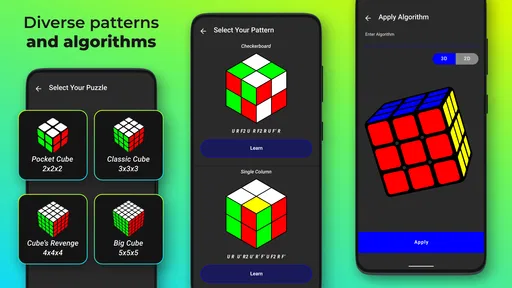
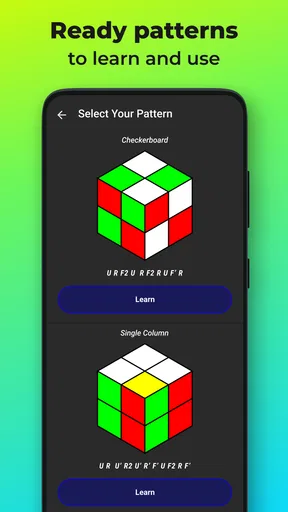
Now, if you’re like me and want to go beyond just solving the cube, the “Learn to Solve” section is a treasure trove of knowledge. This part of the app breaks down the solving process into digestible lessons. From understanding the basics of cube notation to tackling more advanced algorithms, it’s all laid out in a way that’s both engaging and informative.
What I appreciated most was how the app caters to different learning styles. Whether you prefer visual aids, written instructions, or interactive steps, Cube Cipher has it all. It’s like having a mini masterclass on cube-solving right at your fingertips.
The Little Extras
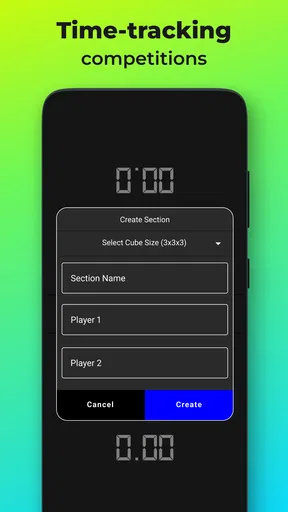
Aside from its core features, Cube Cipher packs in a few nifty extras. There’s a timer for those who want to test their speed-solving skills, and a fun trivia section where you can learn about the history and different variations of the cube. These additions might seem minor, but they add a delightful touch to the overall experience.
One standout feature is the community forum. This is a space where users can share tips, ask questions, and even participate in challenges. It’s a vibrant community that turns the solitary activity of cube-solving into a social experience.
The User Experience
In terms of performance, Cube Cipher runs smoothly without any hiccups. The app is lightweight, ensuring that it doesn’t hog your phone’s resources. Plus, there are no intrusive ads, which makes the experience even more enjoyable. It’s clear that the developers put a lot of thought into creating a seamless user experience.
I also found the app’s design to be quite appealing. It strikes a fine balance between being aesthetically pleasing and functional. The color scheme is vibrant but not overwhelming, and the layout is intuitive, making navigation a breeze.
Remaining trade-offs
The most important practical limitation is that a solver depends on an accurate description of the puzzle. If the colors are entered incorrectly, even clear instructions can become confusing because the physical cube and the on-screen state no longer match. I would slow down at the input stage, especially on a less familiar puzzle, and check the layout before proceeding. That is a better use of a few extra seconds than repeatedly trying to recover from a wrong starting point.
It is also not the best fit for every cube fan. Someone who already solves quickly from memory may prefer a dedicated timer or hands-on practice rather than opening a step-by-step guide. Likewise, anyone looking for a broad classroom course on mathematics or spatial reasoning may find a cube-focused tool too narrow. Its strongest role is helping people solve and learn cube puzzles, not replacing every tutorial, coach, or practice routine.
The varied puzzle selection is a genuine advantage, but it can make the first visit feel less straightforward if you only want help with a standard cube. Choose the puzzle type deliberately, and resist the temptation to treat all twisty puzzles as interchangeable. For a beginner, starting with the familiar format and returning to the other options later is a sensible way to keep the task manageable.
Who I would recommend it to
I would recommend Cube Cipher to curious beginners, families sharing a puzzle, and hobbyists who own more than one kind of cube and want a convenient solving reference. It can also suit a learner who needs a concrete example before trying to understand a method. The educational value comes from engaging with the moves and patterns, not merely from reaching a solved state, so I would encourage users to ask why a step works rather than tapping through automatically.
For shared use, it helps to let the person holding the cube enter the state and perform the moves. That keeps the screen instructions connected to the physical puzzle and gives the learner a chance to build familiarity. If several people are taking turns, checking the cube between turns avoids confusion over whose move comes next. These small habits make a guided solver feel more like a learning activity than a button that simply produces an answer.
My inclusive verdict is positive but measured. The clear route from choosing a task to following steps can make cube solving less intimidating, and the range of supported puzzles gives it appeal beyond a single beginner exercise. At the same time, color-based entry, visual directions, and hands-on turning may not suit every person or situation. I would choose it when I want direct help with a specific scramble or a starting point for learning, and choose a video, printed explanation, or in-person guidance when seeing a technique demonstrated or getting personal assistance matters more.
Final Thoughts
All in all, Cube Cipher exceeded my expectations. Whether you're a complete beginner or an experienced cuber looking to refine your skills, this app has something to offer. It’s user-friendly, packed with useful features, and, most importantly, it delivers on its promise to help you solve the cube.
So, if you’re ready to conquer the Rubik’s Cube once and for all, give Cube Cipher a try. Who knows, you might just become the next cube-solving champion among your friends!
Verdict
Strengths of Cube Cipher - Cube Solver
- Intuitive interface for quick learning.
- Supports multiple cube sizes and types.
- Offline mode available for remote solving.
- Regular updates enhance performance.
- Detailed step-by-step guides included.
Limitations of Cube Cipher - Cube Solver
- Limited customization for advanced users.
- Ads can be frequent and intrusive.
- Requires high storage space on devices.
- Occasional lag on older devices.
- No social sharing of solved puzzles.
Other Releases by DOSA Apps
View All
Recover Deleted Photos App
Photography4.4

Cleanup Your Phone
Personalization4.5

Microphone Amplifier
Medical4.2

Portable WiFi - Mobile Hotspot
Communication4.4
Similar Picks in This Category
View All
Little Panda Policeman
BabyBus4.0

Monster Trucks Game for Kids 2
Raz Games4.1

Little Panda's Chinese Recipes
BabyBus4.4

Little Panda's Restaurant
BabyBus4.4

Little Panda's Ice Cream Games
BabyBus4.3

Baby Panda Care
BabyBus3.8
Frequently Asked Questions
What is Cube Cipher - Cube Solver?
Cube Cipher - Cube Solver is an app designed to help users solve Rubik's Cubes and similar puzzles. With its intuitive interface, the app provides step-by-step guidance on solving various cube configurations, making it suitable for both beginners and advanced solvers. It also includes interactive tutorials and tips for improving your solving speed.
Is Cube Cipher - Cube Solver available for both Android and iOS devices?
Yes, Cube Cipher - Cube Solver is available for download on both Android and iOS platforms. Users can find it on the Google Play Store for Android devices and the Apple App Store for iOS devices. This cross-platform availability ensures that users can access the app regardless of their preferred mobile operating system.
Does Cube Cipher - Cube Solver require an internet connection?
Cube Cipher - Cube Solver primarily functions offline, allowing users to solve puzzles without an active internet connection. However, some features like updates or accessing additional tutorials might require internet access. It's advisable to connect to Wi-Fi when using these features to avoid data charges.
Are there any in-app purchases or ads in Cube Cipher - Cube Solver?
While Cube Cipher - Cube Solver offers a free version with core features, it may include ads. Users can opt for in-app purchases to remove ads or unlock additional features and advanced tutorials. This allows users to customize their experience according to their preferences and needs.
Can Cube Cipher - Cube Solver help improve my solving speed?
Absolutely! Cube Cipher - Cube Solver includes features aimed at enhancing your solving speed. With its advanced algorithms and practice modes, users can track their progress, analyze their solving patterns, and receive personalized tips to improve efficiency. It's an excellent tool for anyone looking to become a faster and more proficient solver.
Play our best games!


